Category: Digital Learning Assistants (DLAs)

  • Student Voices: Digital Learning Through the Years

    Over the years we have been fortunate to work with brilliant students who have each left a mark on our Digital Learning Assistant program. We learned so much from each cohort of students. Their personal projects inspired us. Their partnerships and the peer mentoring shape our goals in digital learning. As student voices are central to our imagining of the DLA program, we knew it was only fair to highlight their experiences and hopes for future iterations of the program.

    If you have not done so already, check out the rest of our series on the Digital Learning Assistant program:

    Expanding Pedagogical Partnerships with the DLAs

    A History of the DLA Program by the Numbers


    Meet the DLAs (past and present)
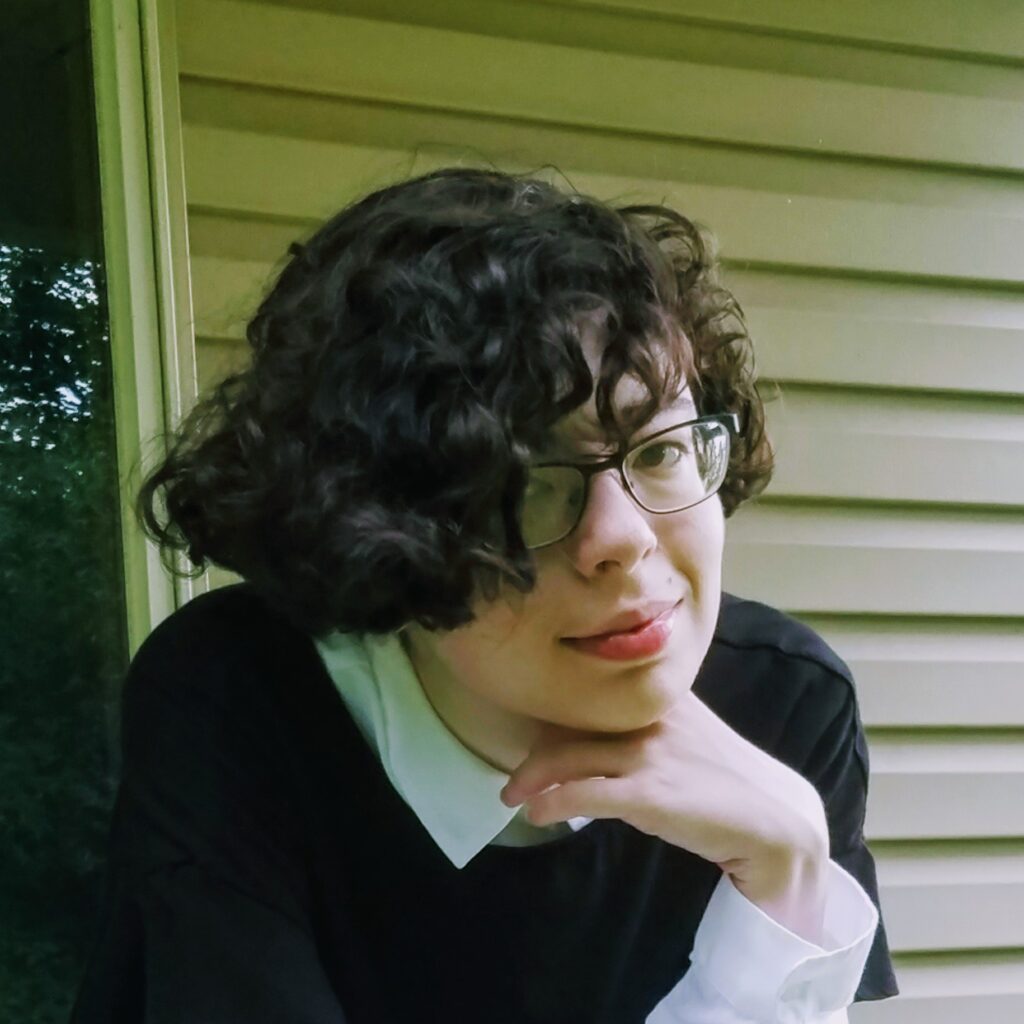
    Rachel Profile Picture

    Rachel Bensimhon ’22

    Major(s): Media and Communication
    Minor(s): Computer Science

    Rachel has been a DLA for 3 years and was, and continues to be, an integral part of Camp Design Online. She has served as a voice for students in a OER, online pedagogy, and much more. You can find her graphics all over our websites and throughout the HiVE.
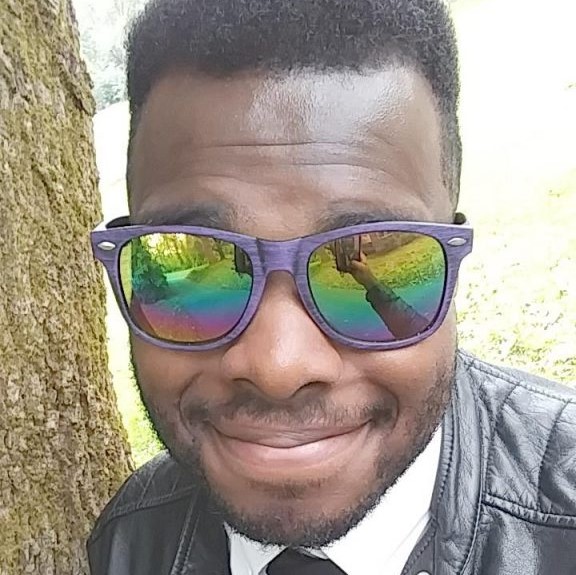
    Nicholas Cunningham ’17

    Major(s): Biochemistry

    Nick was an original DLA and worked with us for 1 year. During that time he helped shape the program and support the emerging BergBuilds initiative. Nick has since returned to campus as Public Services & Student Engagement Librarian.
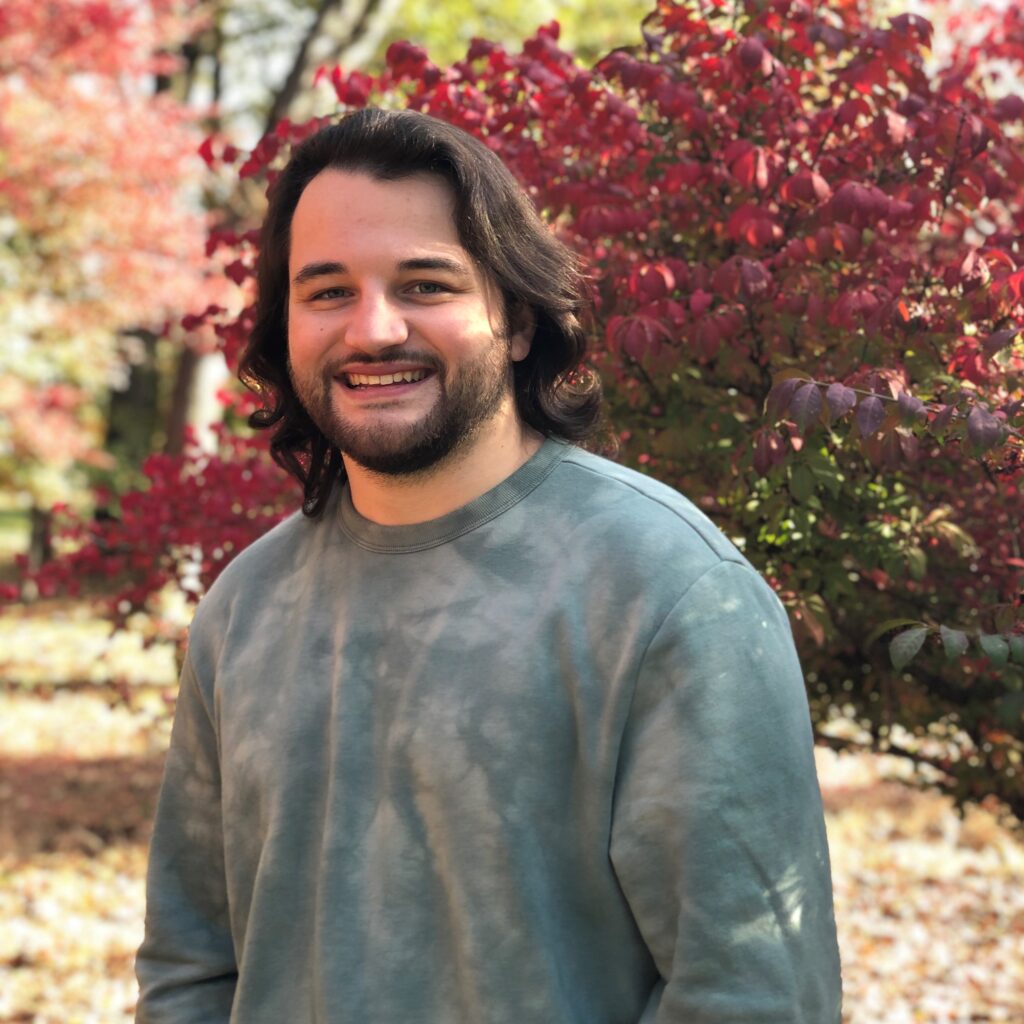
    Anthony Fillis ’19

    Major(s): Film Studies & Media and Communication

    Anthony spent 2 years working for the DLA program. In that time he supported digital learning initiatives and published his senior thesis using BergBuilds. Anthony has returned to the Muhlenberg campus as an Instructional Technologist.
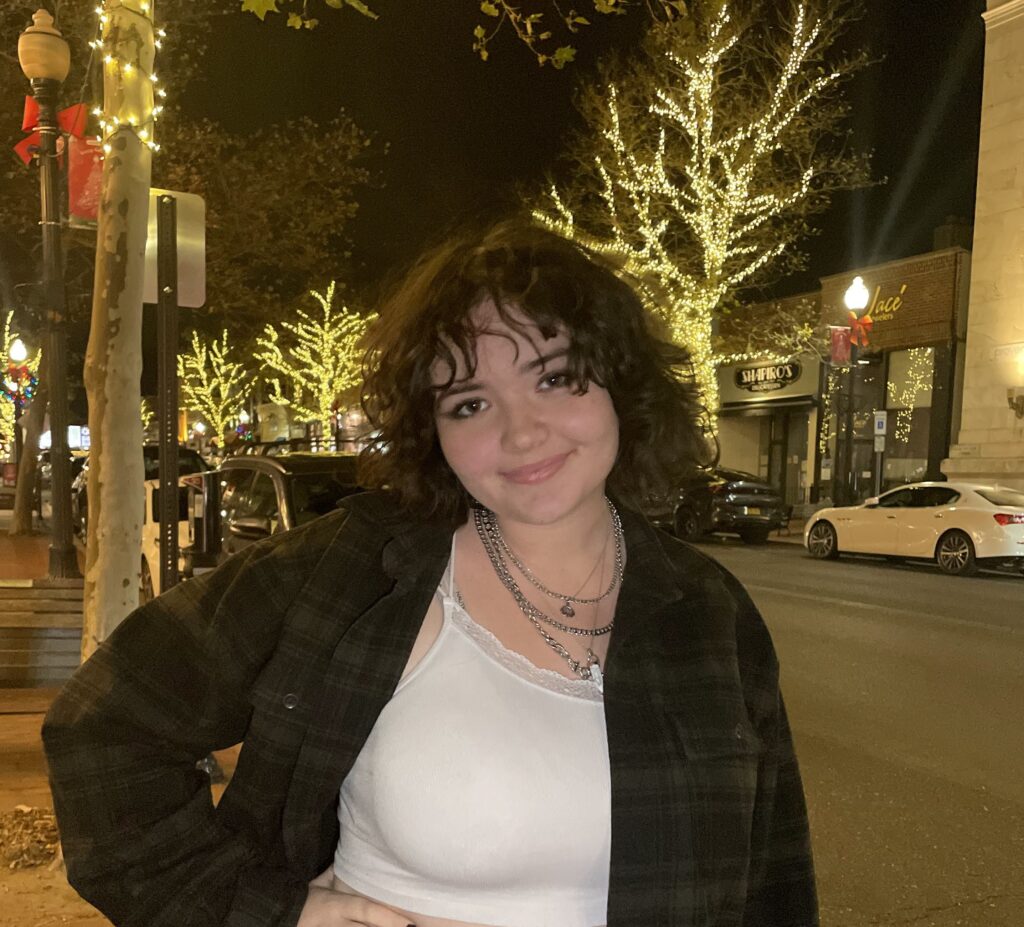
    Niamh Sherlock ’23

    Major(s): Theatre and Music
    Minor(s): Business

    Niamh has been a DLA for 2 years tackling challenges related to COVID19. An experienced podcast host and producer, Niamh created a limited series podcast and website chronicling the development of virtual theatre over the course of the pandemic.


    What does it mean to be a DLA?

    I’ve been a DLA since sophomore year (so for 3 years!) and I’ve really enjoyed my time as a member of the Digital Learning community. As part of being a DLA, I helped other students make digital projects and offered technical support and advice where needed, and I supported faculty through the Camp Design Online Cohorts and Open Educational Resource (OER) Learning Summits. During the cohorts and OER summits, I generally acted as a mediary/representative of the student community at meetings surrounding the building and distribution of Open Educational resources or (OERs). As part of these meetings, I did my best to speak to student experiences and voice how we might interact with digital pedagogy on the student end, hopefully offering another perspective at faculty/staff meetings.

    Rachel Bensimhon ’22

    Our DLAs started out learning digital tools that would support the campus community. This included BergBuilds, WordPress, StoryMapJS, TimelineJS, Google Maps, Omeka, Pressbooks, Hypothes.is, Voicethread, Canvas, and any digital tool they were asked about. While they diligently worked at learning these tools, they focused on perhaps the most important skillset we could offer, developing a caring and open teaching/mentoring style. As Nick noted in his response, “I wasn’t an expert that had all the answers right away, but a more informed guide to help someone navigate how they might utilize a certain tool.” Our DLA training asks each student to choose a focus (storytelling, mapping, blogging) and develop technical skills, but it also asks students to read Vygotsky, reflect on how they learn, and practice empathetic interactions.

    Beyond that, many students used their time as DLAs to further their own digital projects. Anthony spent his down time working on his personal domain (linked above) and eventually used his online platform to publish his thesis. Another alum built and online shop to sell their artworks on a domain they purchased.

    Drop-in hours turned into classroom partnerships and the program has been chugging along since. DLAs have helped transition our campus through the trials of a global pandemic. They even contributed a whole blog series “Wander Wednesdays” to voice their support and advice to faculty as we moved to campus wide online learning.

    Favorite memory as a DLA

    The DLAs shared their favorite memories with us and it was interesting to hear the similarities and differences. Many DLAs cite positive interactions with other students as a highlight of the program. Watching someone learn, learning alongside one another, these are things we value in our program and discuss during training. Other students noted personal achievements and learning goals that they pursued tangentially. At the center of it all is peer learning.

    One standout moment for me was helping a student put together a blog for their Italian class. They came in asking for help getting started with their website, choosing a theme that they liked, and showing them how to put together a series of posts. I saw them in Seegers Union a few days later and they came up to me to say thank you! It was a really cool experience to see that my work really helped another person on campus.

    Niamh Sherlock ’23

    In drop-in hours, there’s one type of moment that I really love. It’s when I’m sitting with another student, and we’re looking at the computer screen together. We’re both staring down a difficult problem, an elusive bug, some kind of challenge, and searching for a way to overcome it. During these moments of collaboration, investigation, and imagination, we’re really engaged with what we’re doing, and singularly focused on solving the problems set before us. When we find a solution that works, it’s satisfying. If we don’t, that’s okay too, because we make new plans and try to find alternate ways forward. I love seeing these moments of engagement and focus appear in my work.

    Rachel Bensimhon ’22

    …I spent a lot of my time looking up different tools that could be useful in digital storytelling (the track that I chose to pursue). I often fell into rabbit hole after rabbit hole about what’s out there and how it might be able to be incorporated in the classroom. It was like I was able to expand my mind past merely what I was told was a possibility.

    Nicholas Cunningham ’17

    My favorite moment was perhaps the completion of my Media & Communications Honors Thesis. Though not directly related, I created a bergbuilds domain to house my thesis. This work truly was a culmination of my work as a student, but also all of my work as a DLA being exposed to the work on instructional technology, accessibility, and pedagogy. This is a project that still exists and that I am proud of. Being housed in a domain has allowed my work to live on, beyond my time as student.

    Anthony Fillis ’19

    What did you take from working as a DLA?

    Being a DLA certainly prepared me for future work as a professional. Directly after graduation, I worked at a local TV News station. Being a DLA equipped me with the tools to be a well rounded quick learner, and the ability to quickly translate complex technical process in order to rise through the production ranks at the TV station. Beyond my work in video production directly after graduation, my work as a DLA essentially shaped a new career path outside of my course work. Being a DLA provided a foundation in instructional technology that opened other interests and passions that fed to my current position at the college. I would not be where I am currently without my time spent as a DLA.

    Anthony Fillis ’19

    I would say being a DLA has helped me become more comfortable with not having all the answers and developing stronger problem-solving/troubleshooting skills to combat the situation at hand. Patience was a big thing because students didn’t always have the strongest grasp of what they were supposed to be doing or how to use a tool. That just meant I have to be extra calm, not express frustration, and work through things step-by-step. Lastly, the self-exploration has definitely stuck with me and I genuinely enjoy trying different tools/resources for a task. There are so many things out there and that in of itself can change the nature of how I’d approach a project or an assignment for my students.

    Nicholas Cunningham ’17

    Anthony and Nicholas have both returned to the Muhlenberg College campus to work in OIT and Trexler Library respectively. Seeing former DLAs return to the community and having the opportunity to partner with them in their new roles has been an amazing experience. All four students noted the importance of the technical skills they had learned as well as the soft/transferable skills like project management, clear communication, and problem solving they used or continue to use as DLAs.

    Where should we take the DLA program next?

    I have lots of ideas for the future of the DLA program! I think there is so much potential in collaborating with faculty and staff on various digital projects, as well as branching out into other aspects of digital pedagogy such as teaching toward media design, research skills, etc. I want to support these efforts wherever possible. I’d personally like to design more open-access resources on digital tools/pedagogy that students, faculty/staff, and future DLAs alike can all benefit from.

    Rachel Bensimhon ’22

    Each of the DLAs expressed interest in working more closely with faculty and being embedded within the course to better support and understand the digital projects students were creating. As we move towards a new approach to our DLA model, we hope to more concretely define pedagogical partnerships between our students and faculty. Student’s can offer so much more than just peer support. They can lend their thoughts to course navigation, assessment, and content delivery. Stay tuned for our next post in the DLA series outlining the new model!

  • OpenEd Week 2022 Highlight: A Student’s Perspective

    Guest author Rachel Bensimhon is a Muhlenberg College senior and third year Digital Learning Assistant. Here are her thoughts on OER at Muhlenberg.


    When I first joined Muhlenberg’s OER community as a sophomore/student representative in 2019, I wasn’t sure what to expect. When I thought about OERs then, my mind went to free textbooks/eBooks and online resources designed for open access and a “one-size-fits-all” approach. These are great in and of themselves. But as I attended more workshops and summits, I was pleasantly surprised to discover an entire world of OERs waiting beneath the surface. 

    OERs come in all shapes and sizes, and anyone can help contribute to them. They can be the classic archetypal free textbook or website, sure. But they can also take the shape of blogs with student-authored posts, or customizable PressBooks, or Wikipedia-style repositories of knowledge, or databases assembled through Omeka. I could go on! To me, OERs are creative expressions – transformative works rife with new possibilities for education. In looking to digital tools for OERs, we might expand the possible shapes that educational resources can take, and in doing so make them even more accessible and engaging for all learners.

    Speaking of accessibility, OERs are highly inclusive and accessible. Not only do they allow for open access, they also allow for the expansion of authorship itself. Professors can make their own OERs, and students can contribute to their creation through their own writing, as well. In this way, OERs serve as a record of collaboration and knowledge-sharing, where unique perspectives can be made visible. When professors and students create and contribute to OERs, they add their own experiences and knowledge to the existing body of work. 

    On some level, I think OERs are gestures of openness and compassion – of storytelling. When I attend OER summits, I’m always struck by the level of care that goes into the work. From what I’ve seen, OERs are often born out of a desire to share knowledge with others from unique perspectives: to tell new stories in new ways, beyond the scope of traditionally-published textbooks/educational materials. 

    To me, OERs say, “I have this specific knowledge [of a certain subject area], and I want to share it with you, openly and in my own way.” And by bringing in multiple collaborators, that desire becomes “I have a story that I want to tell, and I want you to tell it with me, and together we might make something new.” 

    Digital tools, then, represent these “new ways” that stories can be told and knowledge can be shared. We might imagine an art history textbook as an online museum built with Omeka that anyone can visit, with metadata filled in by student contributors. Or we might envision a literature curriculum as a digital library powered by Zotero, where open texts can be read freely. As a DLA, these are only a sampling of the concepts that I want to help envision, facilitate, and make into a reality. These sorts of ideas are ones that we can envision through the possibilities that OERs have to offer. Through them, we might forge a more inclusive, accessible landscape, characterized by openness and compassion. And by advocating for open access, we can strive to build an equitable, engaged peer community where everyone can tell their stories.

    Accessibility, inclusion, openness, care, compassion, storytelling: these are all ideals that OERs represent to me, and ideals that I want to facilitate through this work. I’m proud to be a member of a peer community that values these things!

  • A History of the DLA Program by the Numbers

    The DLA program is a peer-learning model designed to provide support as students engage new technologies and digital platforms ​to advance their learning. Started in fall ‘16, the Digital Learning Assistant (DLA) program builds off of a broad ethos and campus-wide commitment to peer-learning at Muhlenberg for helping to shape, guide, and support students’ academic success.  With the expansion and growth of digital learning opportunities and pedagogies across the curriculum, the DLA program seeks to intentionally support students in achieving their digital learning goals.  The program just completed its second full year and is enjoying success in offering both student support and in helping faculty imagine more boldly what is possible in their courses with the DLA program as a dedicated resource for students engaging new ways of learning and sharing.  

    Trained DLAs provide individual and small group drop-in ​sessions (2-3 students)​ on digital technologies, tools, and practices that are currently used, or emerging, in courses and programs ​at Muhlenberg. DLAs are also available to partner with instructors throughout a semester-long course to ​support and build​ digital learning projects, workshops and tutorials.  ​

    Current DLAs are trained in five primary areas of focus, that align with faculty interest and faculty development programming supported by recent Mellon Foundation grants and other targeted initiatives:

    • Mapping and GIS
    • Digital Archives and ​Information Visualization
    • Mediamaking and Digital Storytelling
    • eP​ortfolios/Domain of One’s Own/Web Publishing
    • Sketch-up and 3D Printing

    Our award winning DLA program has done amazing things in the last 6 years. Our students have presented at conferences, co-authored articles, and published their own digital projects with the world. If were to count just a few of 

    21 DLAs

    2 Physical spaces (aka The HiVE)

    40+ Class sessions

    4680+ Hours logged 

    2 Pre-orientation programs

    6 Conference presentations

    18 Camp Design Cohorts

    Let’s break these down just a bit. In 6 years we have trained 21 DLAs with more than half of our students returning to work with the program for all four years. The DLAs have worked in the basement of Ettinger (002) and in our new home in Trexler (B06). They have led classroom sessions on Voicethread, Domains, StorymapJS, and podcasting and answered a number of questions during drop-in hours relating to these same tools. They have presented at a number of conferences:

    • Online Learning Consortium: Innovate New Orleans, LA, April 2017. Presented with Karl Schultz ‘18, Daniel Lester ‘18, Jenna Azar, Instructional Design Consultant, Jordan Noyes, Instructional Technology, Timothy Clarke, Instructional Technology, and Lora Taub-Pervizpour, Digital Learning: “A Toolkit For Developing Peer Leadership In Digital Learning: Updates From Solution Design Summit 2017 Winning Team.” 
    • Domains 2017: Indie EdTech and Other Curiosities Oklahoma City, OK, June 2017. Jarrett Azar ’20, DLA, and Jenna Azar, Instructional Design Consultant: “We’re not DoOOMed: From Student Tutor to Instructional Technologist.” 
    • PCLA Digital Liberal Arts Fellows Summer Conference Ursinus College, PA, August 2017. Jordan Noyes, Instructional Technologist, and Jazzie Pignattelo ‘17, DLA & Studio Art Major: “Using Omeka for Teaching, Learning, and Research” 
    • Media, Communication, and Film Studies Programs at Liberal Arts Colleges (MCFLAC) Forest Lake, IL, June ’18. Professor Corzo-Duchardt, Visiting Professor of Media and Communication and Lissa Heineman ‘18, DLA and English/Film Studies: “Fostering Media Production Curricula in a Liberal Arts Context” 
    • PCLA Student Symposium on Digital Scholarship Bryn Mawr College, PA, July 2018. Jarrett Azar ’20, DLA and Digital Summer Research Assistant, Dr. Lora Taub-Pervizpour, Associate Dean for Digital Learning, Daniella Viale, Italian Studies Lecturer, and Timothy Clarke, Instructional Design Consultant: “Va bene! Creating an Open Educational Resource in Pressbooks”
    • PCLA Student Symposium on Digital Scholarship Bryn Mawr College, PA, July 2018. Anthony Fillis ’19, DLA and Summer Research Assistant, Irene Chien, Assistant Professor in Media and Communication: “Virtual Reality and Pedagogy” 

    Finally, DLAs were critical voices in the Camp Design cohorts. They spoke to the student experience in online courses and also had a hand in building the Canvas course structure for Camp Design alongside us. During that summer they logged 1179 hours in just 14 weeks. 1179 HOURS! 14 WEEKS! And all this happened as their own lives were flipped upside down, sideways and topsy-turvy by COVID-19. They took it all in stride moving their drop-in hours to Zoom and continuing to support digital projects. 

    Our DLAs have done much to be proud of over the years. As the program continues to support digital learning, it grows and expands in a new ways. Stay tuned as we explore not just where we have been, but where we see this program going in the coming years!

  • Expanding Pedagogical Partnership with DLAs

    As we anticipate the new semester and the kinds of resources and support we are ready to provide faculty and students in digital learning contexts, we want to highlight one distinctive element of our approach at Muhlenberg: the role and partnership of Digital Learning Assistants.

    The earliest conceptualizations of digital learning at Muhlenberg intentionally prioritized the participation of students as partners, drawing from longstanding and successful models of peer assistantship already in place at  the College–in the Writing Program and in Academic Support Services, most notably. With their own learning histories, expectations, and hopes, Digital Learning Assistants–DLAs–have partnered in shaping our work from the outset, and their insights continue to inform work that promotes student agency, voice, and privacy in the spaces of digital learning.

    Each semester we share the DLA schedule, included below. We encourage faculty to share it with students in any course where digital tools, platforms, or practices are integrated. DLAs will continue to offer a blend of in-person office hours for peer collaboration in the HiVE and online in Zoom.

    This semester we also invite faculty to consider possibilities where a DLA’s reflection and constructive feedback might be meaningful.  Some instances where opportunity to collaborate with a DLA might be beneficial include:

    • framing an assignment integrating digital tools
    • brainstorming and identifying a digital tool for a particular learning activity
    • thinking through redesigned digital learning materials with a lens on accessibility and inclusion
    • imagining and planning support students might need for a digital learning assignment

    DLAs are well prepared and intentionally mentored to collaborate with faculty across the campus, not only in their major. In fact, DLAs do not have to be from your discipline to be able to pay close attention and reflect with you, bring forms of knowledge of digital learning to your conversation, or to share constructive observations that offer a window into one kind of student experience.
    If you are interested in working with a DLA partner, please contact Jordan Noyes at jordannoyes@muhlenberg.edu to have a conversation about your proposed project and interests.

    Wishing you all well as the semester draws near.

    Spring 2022 DLA Schedule

  • Wander Wednesday #7: Building Community with Sarah Bui

    Wander Wednesday #7: Building Community with Sarah Bui

    This is a guest post, written by our Digital Learning Assistant, Lucie Hopkins, in which she interviews her colleague and fellow DLA, Sarah Bui.

    Welcome back to Wander Wednesdays after last week’s hiatus! I hope you all have had lovely starts to the semester, and that they continue to be so as we move forward. I am happy to present you the final post of this series with as relevant a topic as I can think of: building community online. Sarah Bui has graced us once again with her insight and knowledge this week to discuss this topic.

    Sarah Bui is a rising sophomore. She is double majoring in Media – Communication and Film Studies. She joined the DLA team her freshman year and specializes in WordPress, Hypothes.is, and many digital storytelling tools such as Knightlab Timeline, Story Map and  Canva. She also served as a Learning Assistant during the Camp Design program Summer 2020 and provided diverse perspectives as a student to help faculty in polishing their courses. In the future, she wants to expand her knowledge and skills about digital tools in storytelling and social media practices.

    Without further ado, let’s hear from Sarah!

    “It has been a month since this semester started, and I hope all of you faculty members are doing well with all interactive and engaging activities we built during the summer. There was much to be worried about for this semester, but I can tell that you are all more and more confident with what you are doing.

    Learning online can be a very isolated experience. You study on your own, attend class on your own and do homework on your own. The feeling of disconnection discourages most students and hugely impacts their productivity in class. Therefore, building the online community within the space of classes is significantly important for each student’s learning experience. 

    From what I experienced last semester (spring 2020), in the summer and in the last month, I want to share some faculty practices for building community that might be helpful from a student’s perspective. 

    1. My professors let me know that they care about my learning experience. 

    What I’ve really appreciated is that often in the beginning of a course, professors would send out prompt questions that let me share about myself and share what I expected from the course. The professors would also share what they expected from us at the beginning of the class, as well as before each assignment, which made the learning process much more enjoyable. Nothing is as difficult as working online when you do not know what to do and you don’t have friends there to ask.

    Regarding in-class activities, I believe the best way to know if this activity or practice works or not is to do it, then ask students for their experience. After trying something new in class, my professor always encourages us to send them an email about how we felt about it. Of course, it is optional, but it makes me feel like my opinion in class and the course structure is valued. 

    1. Often, something in the course seems to be insignificant but has a huge impact.

    I watched many lectures in my online classes, and it could be really tiring. If we were in person taking a class, the professor would immediately recognize who in the class did not understand, or would maybe switch to another activity if everyone was overloaded with information. But this cannot happen with video lectures. This is where captions come to the rescue. I have the option to speed up the video to 1.5x speed so I can concentrate more, since my brain has to catch up with the speed, but I can fully understand by reading the captions. Studying by both listening and reading is a helpful way to memorize and process the information given. 

    I had one online class during the summer which was quite intensive. In that class, my professor broke the long video into smaller sections and named them by the main topics they covered. In our homework, the professor would also refer back to these videos by saying, “You might need to rewatch [name of videos] in the module [week_] for this question.” This was often helpful if we covered many things in class and students later needed to review these topics for assignments and exams.

    The amount of time to watch all the videos might be longer for students than only the length of the videos themselves. I often pause videos and in between videos to take notes (and it turns out that I take notes about everything–I realized that online class makes me more worried about missing important information). One of my professors prepared a list of questions and terms as a watching guide so I could focus on the main points of a long lecture and try to understand the key concepts, not just memorize everything in the video.  

    1. Students may drop into office hours more frequently. 

    Office hours play a vital role during this time. Personally, I feel more comfortable with online office hours since sometimes I just have a small question or want to discuss more about what my professor said in class. When we have in-person class, I find it harder to just come to a professor’s office for very small questions. Now I can just drop in with little commitment. There are so many things I thought I understood which I realized I did not after these meetings with professors. And sometimes, just talking to someone makes me feel more connected with my class. I believe there are many students who need more help with their studies right now, so offering office hours besides class lectures and meetings are a good practice to help them feel connected. 

    1. Recorded meetings and discussion notes are helpful resources.

    One thing I love about online class is that everything is recorded. Even though I try to take notes very carefully, I cannot take notes and participate in the discussion at the same time. There are many interesting ideas that we talk about in class that I cannot remember or didn’t have the chance to participate in. Going back to these discussion notes and recorded meetings helps me recall the class materials better. 

    1. Feedback is significantly encouraging. 

    Feedback is always helpful, and an online environment is no exception. Discussion boards and student responses to materials are good strategies to engage students in class, but it is often more encouraging if we know that our professors in fact read them and value our opinions. Sometimes, I feel myself less likely to contribute to a discussion if my professor only marks it for attendance points and I can’t be sure if they read them or not. In one of my classes, the professor highlights some interesting points of our comments and replies to them with some questions which help us to think further about the materials. I understand it could be exhausting to reply to all of the comments, but highlighting students’ good points is inspiring. It helps me believe that my efforts are recognized.

    One thing I’ve learned so far is that online learning is not as scary and stressful as it seems to be before you do it. We all need to plan everything beforehand but be flexible for unexpected things to happen. As a bottom line, reach out to your students. Let them be involved in the building of the community of online classes. Challenge them, but give them the benefit of the doubt. Use your tools from the summer to connect students with one another, as it is so easy to feel isolated at this time.

    As I wrap up, it is sad for me to say that today’s post is the last post on Wander Wednesdays. It was our pleasure as Digital Learning Assistants to have an amazing journey working with faculty members this summer and sharing our perspectives throughout to help build our online communities. On the behalf of the Digital Learning Assistant Team, I want to say thank you for everything you’ve done and are doing for your classes. We are proud of everyone and we believe together we shall overcome this challenge successfully and memorably.”

    Sarah can be contacted via email: tbui@muhlenberg.edu. Thank you all dearly for your readership this summer and semester, and I wish you all the best rest of the semester possible. You can contact me at lehopkins@muhlenberg.edu.

  • Wander Wednesday #6: Domain of One’s Own with Rachel Bensimhon

    Wander Wednesday #6: Domain of One’s Own with Rachel Bensimhon

    This is a guest post, written by our Digital Learning Assistant, Lucie Hopkins, in which she interviews her colleague and fellow DLA, Rachel Bensimhon.

    Welcome to the sixth week of Wander Wednesday! I hope that you’re all settling into the routine of the semester well, now that we are in week two. If you haven’t yet, take a look at last week’s post featuring Shu Tang to catch up with the blog. This week, I am happy to present the great Rachel Bensimhon and her expertise on the Domain of One’s Own platform.

    Rachel Bensimhon is a junior, majoring in Media and Communication with a double minor in Computer Science and English. Rachel has been part of the DLA team since her sophomore year. As a DLA, she has supported students and faculty through digital workshops and the Camp Design Online summer cohorts. She specializes in digital scholarship research, Berg Builds domains, and WordPress. She has also developed various infographics, art assets, and websites (including this one) for the Digital Learning Team.

    Without further ado, let’s hear from Rachel!

    “Domain of One’s Own is a project that allows college students and faculty to build their own custom websites in an online space that belongs to them. The Digital Learning Center adopted this practice in 2016 and now provides every student and faculty member with the opportunity to create a custom domain under the banner of BergBuilds Domains. 

    Domain building is my personal specialty as a DLA, and I find it really fun! I’ve been using BergBuilds Domains since the Spring of my freshman year to store coursework/creative projects, as well as to post reflections on various readings for the courses that require it. My domain (personal website) is divided into various subdomains, which host my classwork and projects from different courses. Through Domains I’ve been able to create a living record of my academic work and easily share it with others. With a little bit of basic WordPress know-how, I’ve also been able to customize the appearance of this record to my liking, so I’m in full control of the way my work is presented to the world. 

    Moreover, this blog would not exist without the use of a custom domain: mine, in fact. I hope you enjoy reading everyone’s articles as much as I enjoyed building this site to host them!

    Custom domains are an extremely effective way to creatively empower students in their academic work. Oftentimes, when students write papers or make creative projects for their classes, these creations have a very limited life. The student submits an assignment to the professor, and then that assignment is quickly forgotten, lost in a pile of papers or in the depths of an old disk drive. Custom domains have the potential to “resuscitate” these works that would otherwise be forgotten. After a semester of hard work, it feels good to have a record of work to look back on, and it’s nice to know that I can easily share my academic writing with others if I choose to do so.

    Domains have also helped me practice skills that I’ll need in the future, especially when it comes to managing content, building websites, and designing online portfolios. This might be a good thing to incorporate in your class to help your students in the long-term/beyond the classroom, as they use their online work to find careers.

    Custom domains are useful in these respects, and I think classrooms could make use of them a lot more. Only a few of my courses so far have utilized Domains; in my opinion, it remains an underexplored option for coursework. These days, everyone is a citizen of the Internet, and so it’s important for everyone to learn how to cultivate their own digital spaces and interact with the digital ether. Domains can be a great way to facilitate that learning process. Setting them up, managing directories/domains, and installing applications were all learning experiences for me and it took some tinkering and a process of trial-and-error to figure things out. As a result, I think it might be a good idea to integrate these Domains more closely with courses for first-year students so that they can build their domains early and take them all through their college career, as well as beyond graduation if they want to keep their domain. Overall, custom domains are a really powerful tool that can allow students to design their own digital spaces and to maintain a record of their academic growth. I recommend it to anyone who’s looking to add a fun new dimension to their courses!

    If you have any questions feel free to contact me at rbensimhon@muhlenberg.edu. Enjoy Domains!”

  • Wander Wednesday #5: Student Presence with Shu Tang

    Wander Wednesday #5: Student Presence with Shu Tang

    This is a guest post, written by our Digital Learning Assistant, Lucie Hopkins, in which she interviews her colleague and fellow DLA, Shu Tang.

    Welcome to the fifth week of Wander Wednesday, and the first week of the fall 2020 semester! I sincerely hope all your hard work this summer is giving you all some peace as we launch into the uncertainty of an extremely new kind of semester. If you haven’t yet, take a look at last week’s post featuring Tram Pham to catch up with the blog. This week, I am happy to present Shu Tang and her thoughts on student presence in the online classroom.

    Shu Tang is a sophomore at Muhlenberg, double majoring in Philosophy and Sustainability Studies. She joined the Digital Learning team in her freshman year. Shu is really interested in digital humanities and participated in the Muhlenberg digital scholarship pilot summer program. She works with other DLA members to manage the DLA social media accounts and create ideas for campus engagement on digital platforms.

    Without further ado, let’s hear from Shu!

    “This blog post will concentrate on student’s engagement in an online platform with their peers and professors. Usually, a discussion board, readings, comments, Zoom/Google meetings, any submitted assignment can indicate whether the student is engaged in the class. In different ways, students can participate in class and it helps professors to access their student’s class engagement. Some common platforms will be Canvas-discussion board, Google-shared drive, Jamboard, Google classroom, and email.

    I took some online classes and I participated in digital scholarship research this summer. I think I had an active class collaboration experience during my summer classes. There are comments and replies to the discussion board and students who have their cameras open when we are doing synchronous meetings online. I love to reply to the comment of my peers, and I think it is a great way to learn and gain different perspectives. There is always interaction going on in the discussion session. Every time I feel motivated to engage in a virtual class is when I’m allowed to share my own thoughts, when there is flexibility and room for me to expand.

    My professors set class interaction as a part of our final grade, and I think this could be one way to motivate students to engage in class. There are videos and articles to watch and read which could be more fun than listening to the lecture. In this way, students might be more motivated to engage in class. A professor encouraging diversity and giving room for the topic to develop will also be a factor that encourages engagement in class.

    The course can also incorporate more interesting and interactive activities. In this way, there are less “boring lectures” and more diverse visualization. Some material I feel is less likely to engage me is material that is all the same kind of format. I think on a virtual base, different media could be used in teaching–for example, articles, videos, maps, timelines games, surveys. Different visualizations for material will make the class more engaging. Moreover, if there are stories and current events that can relate to the class material, that would encourage students to engage more in the class as well. We cannot neglect what happens around us.

    I think for student presence, different visualizations on the materials, and current events that can relate to the material will encourage students to engage in the class.”

    You can reach Shu at stang@muhlenberg.edu if you have further questions. Have a great week!

  • Wander Wednesday #4: Discussion Boards with Tram Pham

    Wander Wednesday #4: Discussion Boards with Tram Pham

    This is a guest post, written by our Digital Learning Assistant, Lucie Hopkins, in which she interviews her colleague and fellow DLA, Tram Pham.

    Welcome to the fourth week of Wander Wednesday! Only a few days left until the semester begins…If you haven’t yet, take a look at last week’s post featuring Lucie Hopkins on Pressbooks to catch up. This week, we are lucky to have DLA Tram Pham share her thoughts and expertise on using Canvas Discussion Boards in your online course.

    Tram Pham is a rising senior, majoring in Finance and Business Administration. As a DLA, Tram has been supporting faculty and peers with building, customizing, and organizing their websites through WordPress, as well as being a resource in terms of students’ perspectives and technical issues (Canvas, Hypothes.is, G-Suite, etc.) for faculty throughout the Camp Design Online 2020.

    Without further ado, let’s hear from Tram!

    “This week, Wander Wednesday has come back with a very familiar topic: Discussion Boards. Compared to other digital platforms, the Discussion Board is a more familiar platform that is located in every Canvas course, which I believe we all have come across several times while building our courses. The Discussion Board allows us to create topics in order for the whole class to respond with their perspectives and answers. Moreover, peers can reply to each other, such as if they agree with an idea or want to follow up with it. In this past Spring semester, I was lucky enough to have the opportunity to experience different uses of the Discussion Board, and I cannot wait to share it to all of you!

    The overview of the Discussion Board:

    To start with, before going online in Spring, I did not know how useful the Discussion Board could be as a learning tool; however, after we went online in the Spring semester and as my classes started using the Discussion Boards more often, I realized that there are plenty of advantages when it comes to involving the Discussion Board in teaching and learning. Besides allowing you to create topics and have students reply to them, the Discussion Board encourages learning among peers. In one of my Spring 2020 classes, instead of posting the answers along with the practice tests, my professor created a discussion board for us to help each other with answering questions. By doing so, we were motivated to work on the problems ourselves rather than taking the solutions for granted. Furthermore, as there are many ways to get to the final result, we were able to learn different methods from peers through discussing our answers among each other.

    Another benefit of the Discussion Board that I want to highlight (and also my favorite part of the Discussion Board!) is that it assists faculty members in helping students with the class materials. Through this Summer cohort training, I am more mindful of both faculty and students’ time. Everyone’s schedule is different. That is why it is difficult to find a best office hour time for all students and faculty to gather. And this is when the Discussion Board comes into play. As I have mentioned above, having students support each other is one way to lift the burden off the professor’s shoulders. Faculty can create a discussion board for each week’s materials and let students post their questions there. Throughout the week, everyone can check the discussion board and help their peers with the questions. If there are questions that are unanswered, faculty can pick out the pattern and respond to them at the beginning of the class or record a video answering the questions (“asynchronous office hours”). Additionally, learning assistants of the class may be able to go through the questions and help answer those in their workshops. By doing this, there is less stress for faculty and students’ questions can be answered in a timely manner.

    Nevertheless, I recognize that unlike in person or synchronous online discussion, the Discussion Board can be a bit “dry” and less exciting. It may be hard for students to feel motivated or energized whenever they have to work with Discussion Boards. For that reason, although the Discussion Board is helpful, I believe it will reach its “most beneficial stage” if it is used with other digital platforms. The Discussion Board can be a continuation of the discussion on Zoom or JamBoard. It can also be a “backup” office hour space for faculty in case a lot of questions need to be answered. By interchanging among different platforms, faculty can create flexibility and excitement for students in their learning journey.

    Phew! I never thought I would have so many thoughts on the Discussion Board until now! If you ever want to find another platform to accompany the ones you are using, please try Discussion Boards out! I think you will like it! I understand the current situation is really frustrating and stressing you out, but please remember that we are here to support you through this uncertain time. We are all in this together! I truly appreciate all the effort and thoughtfulness that you have put into your teaching. If you have any questions or concerns (or just want to have a conversation), feel free to contact me at tnpham@muhlenberg.edu. Thanks for reading and you are all amazing!”

  • Wander Wednesday #3: Pressbooks with Lucie Hopkins

    Wander Wednesday #3: Pressbooks with Lucie Hopkins

    This is a guest post, written by our Digital Learning Assistant, Lucie Hopkins.

    Welcome to the third Wander Wednesday blog post of the summer! I hope you are all feeling ready and excited to jump into the fall semester in a few short weeks. This week, I (DLA Lucie Hopkins) have the privilege to share with you some of my own personal insights and experiences with the Pressbooks platform, with which I have both technical and academic experience!

    I am a rising senior, majoring in Neuroscience and French & Francophone Studies. I have served as a DLA on a Pressbooks project with Professor Eileen McEwan with the goal of creating an online, open educational resource elementary French textbook. I also served as a DLA during the Camp Design Online program of summer 2020. I have technical expertise in Pressbooks and Voice Thread, and personal experience with successful (or not) faculty and student presence in an online format.

    Without further ado, allow me to share my thoughts about the Pressbooks platform as an online learning tool!

    Pressbooks is a simple online book formatting software that is popular for Open Educational Resources. It offers many tools that aid creators in adhering to the principles of Universal Design (found here: http://universaldesign.ie/What-is-Universal-Design/The-7-Principles/) while constructing their online resources. Many Muhlenberg professors have taken advantage of this resource to use either as textbook material (see Prof. Leisawitz & Viale’s Elementary Italian textbook here) or as a collaborative tool in the classroom (see Prof. Mathews-Schultz’s poli-sci students cultivate a diverse book of research and arguments about the Political Year of the Woman here). Luckily, I have experience with both of these methods of using Pressbooks that I can share with you all today!

    As a student, I participated in a Pressbooks project called “Paris à travers les pages” (Paris Through the Pages) with my FRN 427 classmates and Prof. Eileen McEwan. As a DLA, I worked with Eileen again on creating a textbook similar to Spunti (the Italian textbook), but for Elementary French. While Spunti was, to my knowledge, created from scratch, Eileen and I researched already-written Open Educational Resource (OER) French textbooks from which we could pull ideas and resources to create our own. What’s awesome about Pressbooks and OERs is that as long as you accurately understand the copyright agreement for the particular resource you’re using, you can typically share and utilize what’s in it freely (with attributions, of course!) and build off of it for your unique course ideas and goals. This project is ongoing for us, and we expect to make a lot of progress this fall as we work together with our first online elementary French class. I studied abroad in Aix-en-Provence last semester where Eileen is currently, so we’re aiming to incorporate new, day-in-the-life kind of resources about this region for the elementary students to get a more immersive experience in the culture and language. I could go on forever about the benefits of using OERs in the classroom instead of traditional textbooks, but I’ll just save us all some time and link you to the arguments made for Spunti in 2018 instead.

    As a student, I really enjoyed exploring the Pressbooks platform as a new, highly creative medium for my ideas. I was halfway through college when I took the FRN 427 course, so I had become used to the typical essay format and process. While I still wrote my chapter of the book as I typically would a research paper, there was an added element of creativity that I really enjoyed when I had to then format it into the Pressbooks website and incorporate digital elements that I normally would not have the opportunity to use. As a part of the assignment, we were required to utilize photos, videos, or audio as supplemental elements to our chapter, attribute them correctly, and add “key takeaways” at the end–a Pressbooks specialty. It was a bit difficult at first technically, as I had never used the platform, didn’t quite understand the rules of OER and attribution of materials, and was sometimes frustrated by the finickiness of the formatting. However, working through these kinks led to a new skill on my resume and an expanded awareness of ways to express my ideas. Not to mention that my writing was now in the world as an OER, possibly to be used in French classrooms around the world, or even adapted and utilized by other scholars (a sentiment shared by a fellow student in this article about Muhlenberg OERs). This Pressbooks experience was an awesome upgrade to writing a research paper that I highly recommend.

    As I said before, the platform itself is relatively easy to understand, but as students are typically used to Word documents as the medium for submitting papers, this new formatting can sometimes be difficult to work with, especially for those who are not particularly tech-savvy. However, we as a college are blessed with the wonderful Office of Digital Learning and all the student DLAs that are there to help your class with adjusting to the platform of Pressbooks! We were fortunate to have Jarrett and Jenna come to two of our classes to delve into the technical aspects of the platform and the rules of OER and copyright, which made the whole process as a student much easier.

    All in all, if you are looking to utilize more online resources in your courses, shake up the writing process for your students, or create a beautiful, diverse work that can be shared with the world as an OER, Pressbooks is a simple, effective way to go about doing so.

    If you have any questions, you can contact me at lehopkins@muhlenberg.edu. Thanks for reading!

  • Wander Wednesday #2: Hypothes.is with Sarah Bui

    Wander Wednesday #2: Hypothes.is with Sarah Bui

    This is a guest post, written by our Digital Learning Assistant, Lucie Hopkins, in which she interviews her colleague and fellow DLA, Sarah Bui.

    Welcome to our second Wander Wednesday post! If you were here last week, welcome back, and if you weren’t, welcome! Take a look at last week’s post featuring Jarrett Azar ‘20 on faculty presence to catch up. This week, we are lucky to have Sarah Bui, a current DLA at Muhlenberg, share her insights on the value of Hypothes.is for students in an online setting.

    Sarah Bui is a rising sophomore. She is double majoring in Media & Communication and Film Studies. She joined the DLA team her freshman year and specializes in WordPress, Hypothes.is, and many digital storytelling tools such as Knightlab Timeline, Story Map and Canva. She also served as a Learning Assistant during the summer 2020 Camp Design program and provided diverse perspectives as a student to help faculty in polishing their online courses. In the future, she wants to expand her knowledge and develop her skills with digital tools in storytelling and social media practices.

    Without further ado, let’s hear from Sarah!

    This image has an empty alt attribute; its file name is giphy.gif

    “Hello everyone, my name is Sarah. After my first year at college, I had a chance to explore many digital platforms that make my learning process much easier and more effective. For those of you who are thinking of a platform for your class that helps engage students into their course materials and discussion, I would like to introduce Hypothes.is. In this blog, I will discuss my experience of using it in my classes and why I find it very helpful in this online teach and learning environment. 

    Hypothes.is is an annotation platform that allows you to annotate on various kinds of files such as articles, blogs, pdf files, books and ebooks. I was first introduced to Hypothes.is in my FYS class and then used it in my Documentary Research class. We used the program to add comments on the readings and articles. Besides that, I use Hypothes.is for myself while doing research, as it helps me to keep track of the citations on a pdf file. Additionally, I also have a group on Hypothes.is just for myself to note down any interesting ideas or articles I’ve found online. I can easily go back to these websites to see all my annotations while reading. 

    Besides using Hypothes.is just for the comments of students, my professors would also add some guided questions for us to get the ideas of the readings better, as well as to develop our critical thinking to the next level. Most of my professors found it easier to keep track of students’ discussions in Hypothes.is in this way than on the discussion board in Canvas. 

    With Hypothes.is, we can expand our knowledge beyond the reading with other interactive media resources such as images or videos. I have found it to be a really helpful platform for me to both add annotations and comments on the reading and to discuss some of these ideas with my classmates. I can also keep all the highlights for myself which is especially useful when I need the readings for my essays. It also helps me build a good habit of taking notes while I’m reading. Additionally, I feel the best way to improve my writing is through reading, so I always highlight good ideas or good word usages or sentence structures, and Hypothes.is helps me to keep it for myself.

    One small problem with this program could be that all the files must be accessible on a web browser, so it might not work for traditional books. I have not found many other obstacles using this, since it’s really simple and user-friendly. It helps me a lot in my academic process. I really love using Hypothes.is!

    And that is my experience using Hypothes.is and I hope it can somehow ease your burden in the process of building interactive courses but also trying to meet the academic requirements. I know it is a really frustrating time that we are forced to learn everything at the same time that we adapt to this terrible situation. But I hope all the faculty understand that you are not alone on this journey. There are many DLAs and students are willing to help you and we can learn and figure things out together step by step. We, as students, really appreciate every effort you put into your courses. 

    Keep up with great work. You rock!”

    If you want to hear more insights from Sarah about Hypothes.is, join us Thursday, August 6th at 9 AM EST for a Hypothes.is Workshop with Prof. Tineke D’Haeseleer. The workshop is for anyone interested in exploring social annotation as we all plan for the upcoming year. Check your email for more information and the Zoom link!

    If you want a step-by-step breakdown of integrating Hypothes.is into your online course, also provided by Sarah, click this link. She can be further contacted via email: tbui@muhlenberg.edu.