Category: Opportunities & Events

  • Domain of One’s Own

    Join the Digital Learning Team on April 25 for a Tech Tuesday discussion on a pilot project we initiated this year: Domain of One’s Own.  Members of the Digital Learning Team have written about the early months of this initiative in a series of blog posts that are rounded up in this post: http://diglearn.blogs.muhlenberg.edu/2016/10/31/blogging-is-everything/.  In this Tech Tuesday session, we update the community our progress with the initiative and introduce future possibilities for getting involved.

    The focal point of our Domains initiative launch this semester is a Faculty Learning Community. Ten faculty and several Digital Learning Team members have been meeting throughout Spring semester to explore new possibilities for faculty, staff, and students to design and build their digital presence with greater flexibility and independence, and to exercise greater agency in determining what and how to share their scholarship and learning publicly online.  Each faculty member is developing their own domain, some focused on teaching, others focused on scholarly projects. The themes, readings, and activities for the FLC are openly available here: http://dooo.flc.bergbuilds.domains/.  The FLC site provides much more background on the project and the motivations behind our Domains initiative than we can address in our short Tech Tuesday presentation.  We hope you’ll take a look and perhaps even encounter material there that you want to share with students or colleagues.

    Throughout the year, the Digital Learning Team has been developing the resources necessary to support faculty, staff and students in developing their digital presence via Domains.  Tim Clarke has developed a thorough site for support documentation here: http://help.bergbuilds.domains/.  Building on and extending the knowledge base created by folks who developed Domain of One’s Own at University of Mary Washington and its early adopters at Emory University and Oklahoma University, Tim’s documentation takes you step by step through the process of creating a Domain and getting up and running.

    We’ve also been cultivating expertise among a cadre of Digital Learning Assistants who have offered workshops, one on one consultations, and course visits to help faculty and students begin building their Domains. Faculty consistently note how helpful it is to have peer assistants–much like a writing assistant or a learning assistant–to help introduce Domains to students and support them as they begin creating, curating, and organizing their sites.  The DLA website and schedule is here:  http://diglearn.blogs.muhlenberg.edu/people/digital-learning-assistants/.  While we don’t know the DLA Fall 2017 schedule just yet, it’s certainly possible to begin thinking about a DLA-led workshop to help introduce your students to Domains.

    In May and June, DLT members are giving several presentations at conferences near and far about our early work with Domains. Check back soon for blog posts and slides from those presentations.

    If you’re interested in signing up for Domain of One’s Own, please fill out this very brief interest form:  https://muhlenberg.co1.qualtrics.com/jfe/form/SV_7X2qIe8Cnb2I1i5.  A member of the DLT will be in touch shortly to help you get started.

    Slides from our Domains Tech Tuesday are here: http://bit.ly/2oGsjnk.

  • A Snow Day Twitter Chat

    #snowberg

    embedded image of a snowy day on Muhlenberg's campus

    TechTuesday is cancelled today because of the storm, but the Digital Learning Team has an alternative that doesn’t require stepping out into the snow.  This afternoon, Tuesday, March 14, at 2 p.m. EST, we warm up our snow day with a Twitter chat about students, protest, distraction, and taking risks. The conversation will focus on Sean Michael Morris’ recent blog post, “Deeply Aggrieved.”  With this piece as a starting point, we’ll consider what’s at stake for students in the current political environment and what our responsibilities are as educators in this crisis moment.  

    Below are a few questions to get our chat going.  Read the post, bring your own questions, and join us for this hour-long chat. We’ll be using the hashtag #snowberg. It’s helpful to include it with all of your tweets so that other participants can easily follow along.

    Sean Michael Morris is a digital teacher and pedagogue, and instructional designer at Middlebury College.  He is known for his work in critical digital pedagogy and social justice, and directs the Digital Pedagogy Lab.  In his latest post, published on March 12,  Morris reflects on recent protesting by Middlebury students against the presence of Charles Murray on campus, and an opinion piece by Frank Bruni in the New York Times of that event.  One reader on Twitter called Morris’ post “the only required reading on the Middlebury protests,” while another described it as a “must-read for all working in higher education — and anyone else with an opinion about what’s happening here.”  Morris challenges readers to question some of the increasingly common ways that college students are described– “emotionally coddled,” “distracted.”  He also invites us, as educators, to consider what more we can do to show up for our students, who carry into our classes and campus spaces known and unknown adversities of which we may not be fully aware, let alone prepared for.

    As the snow continues to fall and the wind blows sideways, the Digital Learning Team at Muhlenberg is looking forward to reading and reflecting on Morris’ post and invite you to join in at 2 p.m. EST. 

    Question 1  

    As educators, how can we better show up for students moving through and with adversity? How can we make our classrooms and community more hospitable spaces?

    Question 2  

    Morris asks us to critically examine our image of a distracted learner.  Who is a distracted learner?  What kinds of learners do we have in mind? How helpful is that category?

    Question 3  

    How can we practice “Zen-like honesty about the state of things” so that our courses and syllabi help students prepare for their future, to solve the crises in our world today?  What kinds of assignments and activities might empower them in this work?

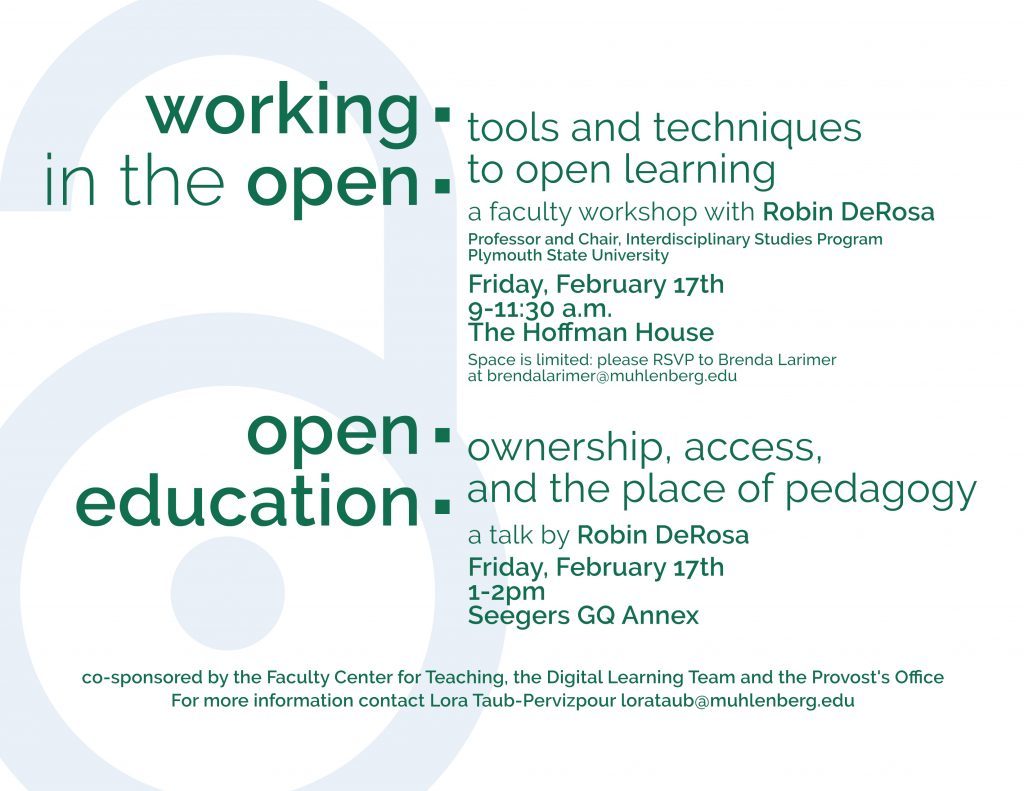
  • Open Education Workshop & Talk

    poster for this event is embedded.  text from that poster follows

Working in the open: tools and techniques to open learning

open education: ownership, access, and the place of pedagogy

    The idea of free and open sharing in education is not new.  In fact, sharing is probably the most basic characteristic of education: education is sharing knowledge, insights and information with others, upon which new knowledge, skills, ideas and understanding can be built.–Open Education Week

    Open pedagogy uses OER as a jumping-off point for remaking our courses so that they become not just repositories for content, but platforms for learning, collaboration, and engagement with the world outside the classroom. –Robin DeRosa and Scott Robison, “Pedagogy, Technology, and the Example of Open Educational Resources”

    On February 17, 2017, the Digital Learning Team and the Faculty Center for Teaching are co-sponsoring two events exploring the topic of open education with Robin DeRosa from Plymouth State University.  Robin is a professor and the director of the Interdisciplinary Studies Program at Plymouth State, where she also contributes widely to conversations about the future of higher education, and the ways that collaborating around open education can help make academic scholarship more relevant and accessible to the public.  The resources gathered here will help orient interested faculty and staff to the topics we will be exploring during Robin’s workshop and lecture on Friday.  For those who were unable to attend last month’s Tech Tuesday, Jen Jarson and Lora Taub facilitated A Conversation on Open Education, and the video recording of that session is available here.

    Readings

    The reading by Robin, “My Open Textbook: Pedagogy and Practice,” offers a detailed narrative of her engagement with open pedagogy over many semesters, and a look at how her practices and beliefs about teaching and learning in the open and online have continued to develop.  Towards the end of the article, she raises several critical questions about the “pitfalls, barriers, and challenges” she’s still wrestling with.  These questions provide some rich ground for our conversation with Robin while she’s at Muhlenberg.  Because she shares her journey into open education, Robin’s account is particularly instructive for those of us just beginning to think about this.

    Steve Greenlaw is a Professor in the University of Mary Washington Economics Department and describes in this short article his interest in OERs as an alternative to the expensive commercial introductory textbooks in his field. In Open Educational Resources (OER): One Path to Making Higher Ed More Affordable, Greenlaw writes:

    Estimates of annual textbook costs range from $500 to more than $1000 per student. Note the disconnect between the price per book and the spending per student. How can we reconcile these two points? One way is understand that 50% of college students report going without the text required for a course. Another way is to recognize that increasingly students spend their textbook dollars on used books or rentals, which while cheaper than new books are still pricey.

    For many faculty, the pressing issue of access and expense drives their turn to OERs.  In this regard, there is a social justice dimension to the open education movement that merits our discussion.

    But there is more to open pedagogy than just replacing expensive commercial texts, says David Wiley in “What is Open Pedagogy?”  Wiley is Chief Academic Officer of Lumen Learning, “an organization dedicated to increasing student success, reinvigorating pedagogy, and improving the affordability of education through the adoption of open educational resources by schools, community and state colleges, and universities.” You can read more about him here.  In particular, Wiley is interested in the potential of open pedagogy to “kill the disposable assignment.”  What is a disposable assignment?

    “[A]ssignments that students complain about doing and faculty complain about grading. They’re assignments that add no value to the world – after a student spends three hours creating it, a teacher spends 30 minutes grading it, and then the student throws it away. Not only do these assignments add no value to the world, they actually suck value out of the world.”

    In Wiley’s terms, instances of open pedagogy are assignments that engage with OERs. Indeed, for Wiley, the ultimate test of whether an assignment is open is that “the assignment is impossible without the permissions granted by open licenses.”  How are the kinds of assignments he’s iterating similar to those that Robin DeRosa is describing in her work?

    The last reading included here describes the work of a learning community at Cal Poly San Luis Obispo, where a group of faculty and librarians explored OER integration.  In What Does It Mean to Open Education? Perspectives on Using Open Educational Resources at a US Public University, the authors consider the variety of reasons participants came to consider OERs, and the questions and discussions that emerged for them along the way.

    “[W]e realized that in asking a relatively straightforward question about using different learning materials — “What does it mean to use Open Educational Resources?” — we were, in fact, looking at the foundations of higher education itself. We were not just asking about credible educational resources; we were asking, “What does it mean to open education?” In so doing, we also began to question how much the systems of higher education are themselves closed and self-replicating. We questioned how these systems prioritize conserving the educational institution itself over actual mastery of content and developing intellectual habits of mind. Through our discussions, “opening education” grew to mean encouraging a revival within our students and ourselves of the essence of scholarship: to experiment and discover rather than to assert and repeat, and to engage in a practice of openness as part of a community of teacher-learners — both inside and outside of the classroom.

    What can we learn from the discussions and processes presented in this article? What would a learning community to support exploration and integration of OERs in teaching and learning at Muhlenberg look like? How would this intersect with the Domain of One’s Own initiative, and other pedagogical initiatives aimed at creating more open, more inclusive and accessible learning experiences in the liberal arts at Muhlenberg?

    Please join us on Friday, February 17, as we begin exploring these questions with Robin DeRosa.

  • 3D Modeling at Muhlenberg

    The Fall 2016 Tech Tuesday series ends December 6 with a long awaited session on 3D modeling.  Jordan Noyes, Instructional Technologist, will introduce faculty and staff to a variety of software for modeling, texturing, rendering, and more.  In this session, Jordan will encourage participants to think about the ways these changing technologies might be integrated into pedagogy and inspire new possibilities in teaching and learning. Attendees will be introduced to a range of examples of digital scholarship and course assignments to help begin discussions around where and how to incorporate 3D modeling into a liberal arts curriculum.  See Jordan’s blog for further details and join us for the last Tech Tuesday of 2016!

    embedded image of 3D modeling poster describing the tools that will be covered in the workshop: sketchup, cheetah3d, unity3d, 123DCatch, sketchfab, and TinkerCad
  • Digital Brew

    The Digital Learning Team and the Faculty Center for Teaching are collaborating to present the Digital Brew–an informal event highlighting eight faculty and the digital tools and pedagogies they are implementing in their courses.  Stop by the new Language Learning Commons to see what faculty are up to, meet members of the Digital Learning Team who are collaborating with faculty to implement digital pedagogies, and chat with faculty from the Faculty Center for Teaching about opportunities for pedagogical development at Muhlenberg.  We’ll be serving craft beers, sodas, and snacks.  Stop by between 4 and 5:30 p.m., Wednesday, November 30.

    embedded image of the poster for the Digital Brew event detailing the stations and presenters.

    Digital Brew 2016 Menu

    Digital Mapping, Ben Carter, Anthropology

    Virtual Reality, Irene Chen, Media & Communication

    Research & Survey, Chrys Chronin, Public Health

    Single-Board Computing, Brett Fadem, Physics; Tim Clarke, ITDL

    Asynchronous Threaded Conversation, Bill Feeney, History

    Mobile Analog Video Standards Converter & Digitizer (MAVSCAD), Sean Miller, Media Services

    Storymapping, Rich Niesenbaum, Biology

    Snap Stories, Sara Vigneri, Media & Communication

  • Digital Brew: November 30

    embedded image of the Digital Brew alternative poster featuring a coaster reading 'Digital Brew' and the date and time of the event.

    Digital Brew

    Wednesday, November 30th 4-5:30 pm

    Language Commons, Ettinger Hall

    Join us for craft beer and soda. Play with some digital technologies being used on campus. Engage with faculty from a variety of disciplines incorporating digital tools into their teaching. Connect with digital learning collaborators. Get hopped up on digital pedagogy.

    Brought to you by The Faculty Center for Teaching and the Digital Learning Team, fermenting ideas in new pedagogies at Muhlenberg College.

  • Trexler Library Transcribathon

    gws1-muhlenberg

    Join Trexler Library’s special collections archivist Susan Falciani today for a lively Transcribathon–a 3-hour social gathering aimed at transcribing items in the Muhlenberg Collection of rare 18th and 19th Century letters.  This is a fun environment to learn about transcription and to expand and amplify the usability of this valuable manuscript collection held at Trexler Library.  Transcribathons are a wonderful way to engaging students and all members of the community in a democratic activity that highlights the humanities in a public, participatory, and empowering way. While digitizing an important collection, transcribathons have the potential to foster community and connection.  Transcribathons also demonstrate the power of the humanities as a field of inquiry–and the library as a space–to bring people together in common purpose.

    Poster content: Love History? Love puzzles? Love the idea of digging through archives trying to decipher 200-year-old documents? Join the Transcribathon! Bring your friends! Spend a few minutes or a few hours reading and transcribing 18th- and 19th-century letters from the Muhlenberg Papers Collection. Your efforts will benefit the ongoing digitization efforts of Special Collections & Archives. Wednesday, November 16th 4-7 pm. Trexler Library, Level B, B-01 Lab. For more information, contact Susan Falciani sfalciani@muhlenberg.edu 484-664-3694.

  • Blogging is Everything! A Round Up of Blog Posts on Jim Groom’s Visit

    In mid-October, Jim Groom and Lauren Brumfeld of Reclaim Hosting spent two jam-packed days with us at Muhlenberg, helping us open the door (or Pandora’s Box, as Jim might argue) to our Domain of One’s Own faculty and student learning community. Time spent with Jim and Lauren was everything we’d hoped it would be–catalyzing and supportive, a chance to peer around some corners to glimpse “what might be” even while we’re in the thick of what is needed now to get off to a strong start.  I’ve reflected on our work with Jim and Lauren here in some detail, but in this post I just want to provide a roundup of the several blogs that have spun out of those two October days.

    Over on his domain, Tim Clarke is inviting us to consider What Would a Domain of One’s Own Implementation Cohort Look Like?

    This post is my effort to extend this question, and share my thinking about what may, and what may not be helpful to schools as they implement Domain of One’s Own initiatives. I’m especially interested in teasing out if there is enough commonality among institutions, or enough similarity around this work, or enough fun to be had, to warrant effort to form an implementation cohort.

    One of the things that strengthens our Domain of One’s Own initiative is the multiple perspectives and backgrounds of the people collaborating to make it happen.  Jen Jarson, over on the ACRLog blog, situates Domain of One’s Own in the context of her work on information literacy within librarianship.  In her post, Jen asks, “What does open pedagogy for information literacy look like?” and is connecting our work on Domains to larger interests in open pedagogy:

    The success of Domains, Jim said in his keynote, is not about technology. Instead, its success is the openness it facilitates: thinking out loud, engaging in reflective practice with a community of peers. As part of the Domains story, Jim shared his experiences creating ds106, an open, online course on digital storytelling. As described on the site, the course was “part storytelling workshop, part technology training, and, most importantly, part critical interrogation of the digital landscape that is ever increasingly mediating how we communicate with one another.” The course embodied openness in many ways. UMW students enrolled in the semester-long course and served as its core community, but the course was open to anyone who wanted to participate alongside the UMW students. But the part that piqued my interest most was its open pedagogy; Jim talked about how he did the assignments with the students and also described how students created the assignments. “The only reason it worked,” Jim said, “was because we built an open ecosystem for it to thrive.

    Jen’s post concludes with the observation that “Open pedagogy is about being flexible and responsive. It means meeting learners where they are, rather than where we think they are or should be”–and this seems to me another excellent way to think about the value of students working with/on their own domains.

    We were really excited that Lauren Brumfeld accompanied Jim on this campus visit, because as a recent graduate, she paid close attention to student perspectives and experiences.  This is a focal point in her reflections on A Visit to Muhlenberg College where she casts special attention on our student Digital Learning Assistants:

    The Digital Learning Assistants, DLA’s for short, are in the beginning stages of something very similar to UMW’s Digital Knowledge Center. The DLA’s are a diverse group ranging from incoming freshmen to graduating seniors. These students are all at different stages of finding their “niche” in the digital world. This semester they’re framing out what it means to provide peer tutoring to other students, and how they can best teach themselves and learn from each other.

    Jim and I had a chance to chat with them on Friday afternoon about what this teaching and learning could look like. Any passerby could have seen how much excitement was sitting in that room- the DLA’s are so ready & willing to better themselves and their peers. I loved it.

    One of the DLAs, Meredith Salisbury, has published her Notes on DLAing on her domain–her first ever blog post.

    meredith

    I’ve spent the last few years of my life nerding out about social media + new media research. I have this fascination with how we portray ourselves and communicate with others online. I wonder how the concept of a DoOO impacts the ways in which we think about what we put online and how it will be different then the existing social media and web presences that we have already. What’s different about domains is that I own whatever I put on my site instead of it living in something like canvas or being sold as data by Facebook or Tumblr. But, the thing is that sites like ello were created with the same concept and they didn’t get adopted… I guess my lasting question is do students (or anyone) care about owning our data or are people so used to being the product that its to late…

    P.S. Follow the DLAs on Twitter cause we’re the best

    Really, follow the DLAs on Twitter @bergDLAs.  They are the best!

  • Digital Publishing with Scalar and Omeka

    margo-class
    Screenshot from Margo Hobbs, Contemporary Art Spring 2016 Scalar Book Project

    When Margo Hobbs, Associate Professor of Art, was frustrated with the limits of available textbooks for her Contemporary Art course, she had the idea to engage her students in researching, producing, and collaboratively publishing a a digital textbook for on the topic.  For this Spring 2016 project, Margo’s students explored global contemporary art since 1989 through a variety of digital and openly available online resources and tools.  Together with Margo, they learned to use Scalar, a free, open source authoring and publishing tool, collaboratively generating a digital textbook published to the web.  The platform offers a great degree of flexibility in design and structure, making it easy to produce multi- and non-linear paths within a multimedia project. Scalar was a good choice for Margo’s Contemporary Art project, because it can showcase images as well as text, and you can build items that annotate or comment upon other items.

    The possibility of creating multiple pathways and non-linear multimodal narratives within Scalar was ideal for a collaborative student project in the interdisciplinary RJ Capstone Seminar. In S

    Screenshot from RJ Fellows Spring 2015 Community Connections Scalar Book Project
    Screenshot from RJ Fellows Spring 2015 Community Connections Scalar Book Project

    pring 2015, the project, “Many Ways of Connecting,” asked students to reflect upon and document the changing relationship between Muhlenberg and the wider community of Allentown, and to explore this relationship along multiple dimensions. In their Scalar publication, students were able to represent the diverse and sometimes intersecting avenues for connecting with Allentown that, as students, shaped their experiences at Muhlenberg.  Their project highlights the multi-linear pathways through which students participate in community-based learning, service, engagement, and activism.

    After building the digitized Robert C. Horn Papyri Collection in Shared Shelf, Muhlenberg archivist Susan Falciani was interested in extending the collection into a platform that would make these resources more public and accessible, especially for use in teaching and learning.  Omeka afforded her the ease and customization necessary to build a rich, searchable collection of the objects in this collection.  It required no HTML knowledge, though she was able to rely on colleagues with CSS skills for help with design customization.  All said, Susan produced this exhibit in about 20 hours time.  Her presentation on the project at the meeting of the Council for Independent Colleges Consortium on Digital Resources for Teaching and Learning, is here.

    robert-horn
    Screenshot of the Robert C. Horn Papyri Collection

    In this Tech Tuesday, we explore both of these open-source, free, and widely used tools for digital scholarship. We will touch on some of their affordances, show examples produced with each tool, and consider some of the reasons for choosing one or the other depending on the type of project faculty are interested to produce and the kinds of materials to be integrated.  Omeka is used widely to build digital exhibits, collections, and archives that are image-rich, with the key feature that it integrates Dublin Core metadata schema for describing items within an Omeka site. This standardized vocabulary means that data can easily be moved into and shared with other systems.  Scalar is a media-rich digital publishing platform allowing multiple authors to add and annotate text, image, audio and video elements, and connect those elements in multi- or non-linear narrative paths. The annotation feature in Scalar is particularly rich–anything in a Scalar book can be annotated in just about any format.  Beyond annotating images with text, text can be annotated with audio or video, video can be annotated with audio, and so forth.

    If you are unable to attend in person, we are offering a live stream of the session through Zoom.  Please sign in to the link below before the session begins at 8:30.  A moderator will be there to share any questions you may have with the presenters. Join from PC, Mac, Linux, iOS, or Android: https://muhlenberg.zoom.us/j/963994155

    Resources on Digital Pedagogy and Digital Publishing

    Jen Jarson, Information Literacy and Assessment Librarian and Social Sciences Subject Specialist, has curated the following resources to provide additional information on these featured tools, and in particular, to highlight their affordances for developing digital literacies and pedagogy.  If you have discipline-specific information literacy questions related to Tech Tuesday, please contact Jen at jarson@muhlenberg.edu.

    More on Scalar

    Scalar Users Guide
    http://scalar.usc.edu/users-guide-post/

    Scalar in the Classroom (an interview with Anita Say Chan and Harriett Green of the University of Illinois, Urbana-Champaign)
    http://scalar.usc.edu/scalar-in-the-classroom/

    Digital Publishing in Scalar, by Mo Pozel
    http://acdigitalpedagogy.org/digped-workshop-digital-publishing-with-scalar/ 

    Scalar in the Classroom (A Workshop at Whittier College)
    https://anitaconchita.wordpress.com/whittierworkshop/

    Scalar for Research, Teaching, and Learning, by Jentery Sayers
    http://www.jenterysayers.com/2012/scalar/

    Webinar on Teaching and Research with Scalar (HASTAC)
    https://www.hastac.org/blogs/hastac-scholars/2015/04/14/video-webinar-teaching-and-researching-scalar

    Examples of Scalar projects:

    A Photographic History of Oregon State College, Keenan Ward, Korey Jackson, Jane Nichols, and Larry Landis

    Our Bodies, Ourselves and Seventies Body Culture, by Cathy Kroll

    Bad Object 2.0: Games and Gamers, by Steve Anderson

    Black Quotidian: Everyday History in African-American Newspapers, by Matt Delmont

    “Ethnic” Los Angeles (A collaborative book by students in Asian American Studies at UCLA)


    More on Omeka

  • Collaborating at a Distance with Zoom

    Collaborating at a Distance with Zoom

    There are many possibilities for integrating real-time (synchronous) online communication and collaboration in teaching and learning.  For traditional, blended, or online courses, opportunities to virtually connect with students, with faculty or other professionals in other locations expand teaching and learning beyond our campus boundaries,  IT/DL has made it easier to do this with a new web and video conferencing tool called Zoom.  This TechTuesday session introduces faculty and staff to Zoom, via Zoom.  If being physically present on campus at 8:30 a.m. for TechTuesday has made it difficult for you to attend these early morning sessions, this week we’re using Zoom to introduce you to this tool while hoping also to widen access to and participation in Tech Tuesday sessions.  (You’ll have to access your own coffee, however).

    Some of the ways you might use Zoom to support interactive and student-centered learning, or to communicate with students beyond face to face opportunities, include:

    • Guest speakers–enliven a class by bringing in faculty, students, and experts from around the world
    • Holding class when weather prohibits coming to campus or while you are traveling (with the option to record the class for students who couldn’t attend or for later reference)
    • Group activities around a shared problem, question, or text
    • Virtual collaboration space for students working on group projects
    • Student-led class discussions, review sessions, etc.
    • Conferences with students to discuss their work
    • Virtual office hours to widen availability and participation

    To join this Tech Tuesday session via Zoom, you need a smartphone or a computer. Although a webcam and microphone are required to join in on the discussion, if you don’t have these tools you can still view and listen. Here’s the link to join the session, which you can access beginning at 8:15:  Join from PC, Mac, Linux, iOS or Android: [link removed] Participation is limited to 50.

    A few suggestions to help ensure a successful experience:

    • If you are joining by video, check your background and be aware of what’s visible behind you.  Move distracting visual elements (piles of laundry, leaping cats, etc.)
    • Join the session prior to the meeting start time, as early as 8:15, to allow time to verify audio and set up
    • Headsets are recommended, especially if you are joining only by audio without video
    • If you are joining by video, reduce distracting glare and uneven lighting in your environment, by closing window shades.  A well-lit room is important, but the combination of outside light and indoor fluorescent light can disrupt the camera and image quality.
    • Use the features in Zoom to interact with the session presenters if you have questions or comments.

    *Featured image “buttercup,” by Paul Harris, on flickr https://www.flickr.com/photos/givemeajobsoicanmovetocanada/, CC BY-SA 2.0.